 GuideMeta Quest
How to watch · Quest 3, Quest 3S, Quest 2 and Quest Pro
How to watch VR porn on Meta Quest
Every Quest has a browser that plays VR video, so there is nothing to install. Open PirouVR in the Quest browser, play a free trailer and press the VR button - our player sets 180° or 360° for you.
PirouVR · 3 steps · about a minute · free trailers, no account needed
Watch a free trailer in VR
- Open the Browser in your Quest
From the Quest menu open Browser and go to pirouvr.com. Bookmark it so it's one tap next time.
- Pick a scene and press play
Open any scene - trending is a good start - and press play on the free trailer.
- Press the VR button
Tap the headset icon in the player's controls. The trailer fills your view in 3D. To leave VR, press the Meta button on the right controller and choose to exit.
Which Quest is best for VR porn?
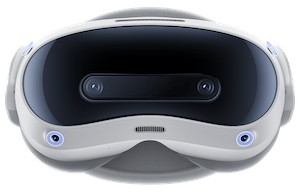
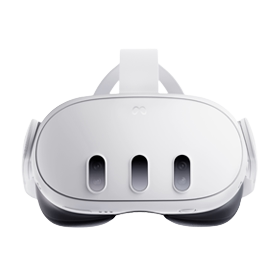
Quest 3 has the sharpest lenses and screen, so 7K and 8K trailers look noticeably clearer than on Quest 2. Quest 3S uses the older Quest 2-style lenses with a newer chip, so it plays everything the Quest 3 does with a softer picture at the edges. Quest Pro sits between the two. The original Quest and Oculus Go are no longer updated; their browsers may refuse newer video, so if a trailer won't play, that's the reason.
Streaming or downloading?
On PirouVR you stream: the free trailers play straight away in the browser. Full scenes are streamed or downloaded on SexLikeReal - downloading suits slow Wi-Fi and the highest qualities, since an 8K file is too big to stream on most home connections.
If something's not right
The picture is flat or shows two images side by side
You are watching the trailer on a flat screen, not in VR mode yet. Press the VR button (the headset icon) in the player's controls. In VR mode the two images merge into one 3D picture around you.
It looks blurry
Open the player's settings (the gear) and pick a higher quality - the list shows what each trailer has, up to 8K. The player starts on a quality most connections can handle. On Wi-Fi, a 5 GHz network close to the router helps most.
It stops to buffer
Pick a lower quality in the player's settings, or move closer to your router. Higher qualities need a fast, steady connection.
The picture looks warped, upside down or doubled in VR
That shouldn't happen - the player sets each scene's format from our catalogue, so a wrong picture means we have that scene's format wrong. Tell us which scene and we'll fix it.
There's no VR button
The Quest browser shows it once the trailer has started. If it still isn't there, update the headset (Settings › General › Software update) - older browser versions can't open VR mode.
Questions
Do I need an app to watch VR porn on Quest?
No. The Quest browser plays our trailers in VR. You don't need anything else to start.
Does it work on Quest 2?
Yes - every step here is the same on Quest 2, 3, 3S and Pro.
Is the browser history private?
Use the Quest browser's private (incognito) window if you don't want PirouVR in your history.