Pirou VR Porn Logo: Virtual Reality Sex Videos | PirouVR.com

VR Porn Videos – How to Watch the Best Adult Scenes on PlayStation VR2

Sony’s second-generation headset for the PlayStation 5, the PlayStation VR2 (PSVR2), represents a significant leap forward in console-based immersive entertainment. With advanced features like eye tracking and haptic feedback built into both the headset and the Sense controllers, this device delivers not just sharp visuals but deeper engagement with content. For people who enjoy immersive adult scenes—especially high-definition 180° and 360° experiences—the PSVR2 provides a refined and responsive platform that elevates console viewing beyond what many standalone devices offer.

In this guide, we’ll walk you through everything you need to know to watch premium panoramic videos on PSVR2, including setup, content formats that look great on the system, and optimization tips for smooth performance. Whether you’re streaming directly or using local playback methods, the technology in PSVR2 supports rich experiences and greater comfort than its predecessor.

Why PSVR2 Is an Exceptional Platform for Immersive Content

What makes the PlayStation VR2 stand out is how seamless it feels when consuming high-quality adult scenes. The built-in eye tracking enhances interface navigation and can even influence how content is rendered, giving a sense of presence that is difficult to match on less advanced hardware. Meanwhile, haptic feedback in the Sense controllers provides subtle tactile responses that can make viewing feel more dynamic.

While PSVR2 was designed with gaming in mind, its high-resolution OLED display and wide field of view make it well suited for panoramic experiences. Whether you’re watching a cinematic first-person environment or a high production short, the colours remain rich and motion stays smooth.

Comparing PSVR2 to Other Platforms

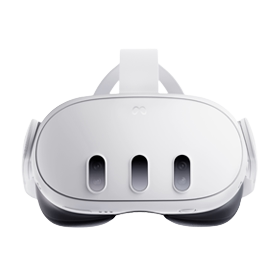
For viewers who are curious how PSVR2 stacks up against popular mobile or standalone options, it’s worth exploring differences in ecosystems. Unlike headsets such as Meta Quest 3S, which run independently, PSVR2 relies on the power of the PlayStation 5. That often means stronger graphics performance and better decoding of high-bitrate files. Some users also prefer console navigation over the touchscreen or controller schemes used by other systems.

If you’ve used other dedicated systems and want to compare premium playback approaches, our Meta Quest Pro guide offers insight into another high-end option.

Unboxing and Initial Setup of PSVR2

Getting started with PSVR2 is designed to be straightforward, even if you’ve never used a headset before:

  • Ensure your PlayStation 5 is updated to the latest firmware.
  • Connect the PSVR2 headset to the PS5 using the USB-C cable.
  • Position your play area to allow for comfortable seated or standing viewing.
  • Adjust the headset fit and interpupillary distance until the image appears sharp and centred.
  • Sync the PSVR2 Sense controllers for navigation and playback controls.

The PSVR2’s interface will guide you through these steps, ensuring that your system is ready before you start watching.

Watching Immersive Videos on PSVR2

There are a few ways to consume panoramic content on PlayStation VR2, depending on your source and preferences.

Streaming Through Dedicated Apps

While PSVR2 does not include a built-in browser with broad web playback like standalone headsets, some apps available through PlayStation Store offer streaming support for panoramic formats. Once installed, these apps typically allow you to browse content libraries, select your video, and enter natural viewing modes tailored for the headset.

If you want inspiration, you can explore our curated list of the latest immersive releases in New VR Porn Scenes, which highlights content across formats.

Playing Downloaded Files

If you already have downloaded 180° or 360° videos on a USB drive, many media players in the PlayStation ecosystem support local playback. Insert your USB, launch the player app, and select the correct viewing mode (often listed as side-by-side for panoramic scenes). Once the file is loaded, put on your headset and enjoy smooth playback without relying on internet bandwidth.

Optimising Playback Quality

To get the best image and sound on your PSVR2, consider the following tips:

  • Use wired headphones or high-quality wireless audio for richer spatial sound.
  • Ensure your display settings on PS5 are set to maximum supported resolution.
  • Choose higher-bitrate downloads when possible to avoid compression artefacts.
  • Sit in a comfortable, stable position to reduce movement blur and keep your field of view steady.

Comfort and Controls on PSVR2

Sony designed the PSVR2 with user comfort in mind. The adjustable headband and balanced weight distribution mean that long sessions are less tiring than they once were on older headsets. The Sense controllers not only offer excellent tracking and haptic feedback but also intuitive buttons for play/pause, skip, and menu navigation.

For playlists or longer features, having physical controls in your hands makes browsing and playback far easier than relying solely on gestures or eye tracking.

Exploring More Quality Content

High-quality productions benefit greatly from the enhanced display capabilities of PSVR2. If you’re unsure where to start, our guide to Best VR Studios highlights established creators known for rich environments, high production value, and immersive scene direction.

For those who prefer following individual performers, you might enjoy browsing specific profiles such as our featured page on Jessica Drake Performer Page, which showcases work shot in immersive formats that take advantage of wide-angle viewing.

PlayStation VR2 and Console Strength

One of the biggest strengths of PSVR2 is that it leverages the PlayStation 5’s processing power. This frequently translates into smoother playback and the ability to handle high-bitrate files that might struggle on lower-powered standalone devices. With upscaling and efficient codecs, the console ecosystem keeps scenes sharp and motion natural, even in fast sequences or complex environments.

Tips for a Better Viewing Experience

  • Take short breaks during long sessions to avoid eye fatigue.
  • Adjust the headset fit so that the display aligns comfortably with your eyes.
  • Keep your PS5 system software and media player apps updated for best compatibility.
  • Use a dedicated USB drive for downloaded content to keep your library organised.

Final Thoughts on PSVR2 and Immersive Adult Content

The PlayStation VR2 is one of the most capable console-based platforms for immersive content. With built-in eye tracking, haptic feedback, and the horsepower of the PlayStation 5 behind it, the experience can feel more responsive and visually rich than on many standalone headsets. Whether you’re streaming through compatible apps or playing high-resolution downloads, PSVR2 makes panoramic viewing smooth and engaging.

For anyone interested in wide-angle cinematic scenes, dynamic first-person environments, or premium adult releases, the PSVR2 platform offers a compelling balance of performance and ease of use. Its blend of console power and intuitive controls makes it a strong choice for immersive entertainment on PlayStation.